
Are you a Yahoo user who wants to change your Yahoo Mail password on your iPhone? In this guide, I will show you how to update your Yahoo Mail password or reset your password if you forgot it and can’t log in.
Why You Might Need to Change Your Password
There are a few reasons you may want to change your email password. If you forgot your password and can’t log in, resetting your account password will allow you to regain access to your account.
On the other hand, if your password was leaked, it’s important to secure your email account by changing your password.
How to Change Your Yahoo Mail Password on an iPhone
Here is how to update your Yahoo Mail credentials on an iPhone, when you are already logged into the Yahoo Mail app:
- Click on your profile icon.
- Click on Manage Accounts.
- Navigate to Account > Security > Change Password.
- Enter a new password.
- Click on Continue to confirm.
What to Do if You Forgot Your Password

What if you can’t remember your password and are logged out? In that case, you can use the Sign In Helper tool to help you recover your account. In your browser, visit this link and enter your recovery email or phone number to start the recovery process. The recovery email is the secondary email that you use to help you regain access to your account if you need to reset your password.
How to Update the Saved Password on Your iPhone
If you updated your Yahoo Mail password, go to Settings > Mail > Accounts > Yahoo and click on Re-Enter Password or Sign in to enter your new password. If that doesn’t work, click on Delete Account to delete the account, and then add the account as a new account with the correct password.
On the other hand, if you are looking to update your saved Yahoo Mail password on your iPhone in the Apple Passwords app, go to the app, click on All, and select the Yahoo Mail app. Tap Edit in the top right corner, and then tap Change Password.
How to View Saved Passwords on an iPhone
If you saved your Yahoo Mail password on your iPhone with iPhone’s built-in password manager, you can view it in the Apple Passwords app. Go to the app, click on All, and select the Yahoo Mail app. Alternatively, view it from your Settings app by going to Settings > Passwords, unlocking the section with your Face ID or Touch ID, and then finding and selecting Yahoo Mail.
Why Your New Password Isn’t Working on iPhone
If your new email password is not working on your iPhone, make sure you have entered the correct email address and password. If it is still not working, double-check your internet connection and restart your phone.
How to Fix Mail Sync Problems After Changing Your Password
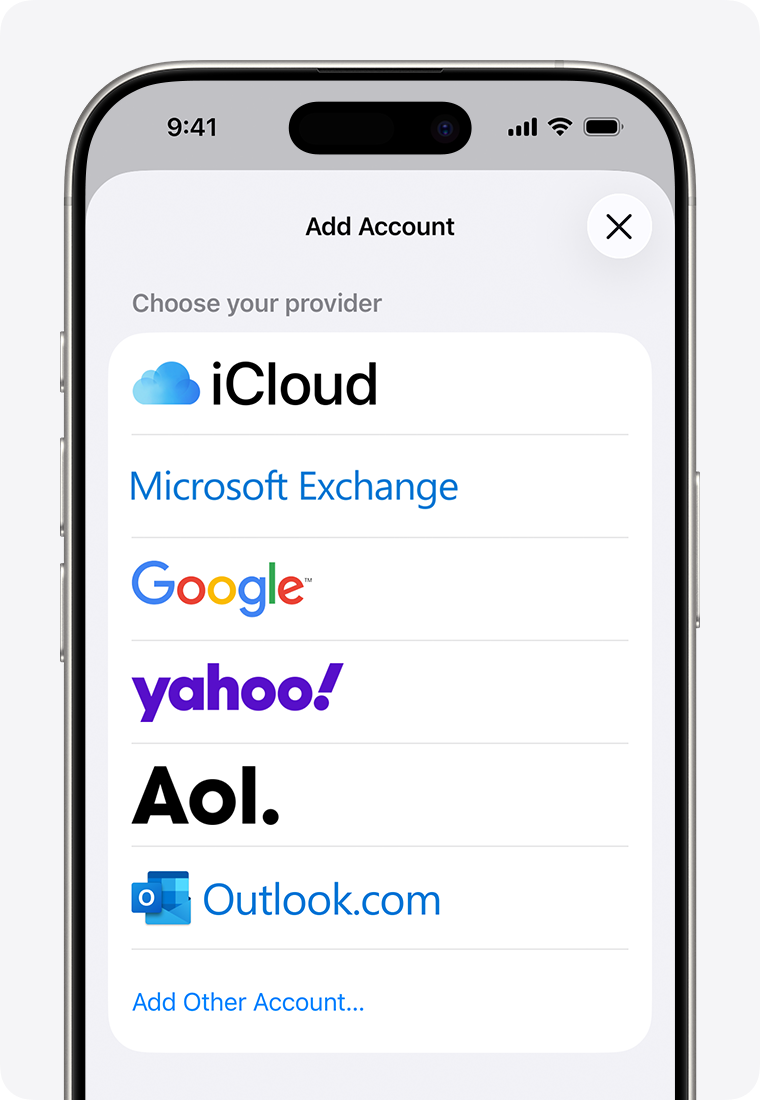
If your mail is not syncing after changing your password, go to Settings > Mail > Accounts > Yahoo > Delete Account and delete the account and then re-add it and make sure Mail is syncing. Make sure you have a stable Wi-Fi connection as well.
How to Improve the Security of Your Account
To secure your Yahoo Mail account, follow these best practices to improve email security:
- Enable two-factor authentication so nobody can log in even if your password is hacked.
- Use a strong password that contains 14 characters and a mix of uppercase letters, lowercase letters, numbers, and symbols. Alternatively, use a password manager.
- Make sure your recovery email or phone number is up to date.
- Don’t log in on public devices. If you have to, use incognito mode to log in.
- Check your recent login activity on the Yahoo Account Security Page to check for suspicious logins and log them out.
Conclusion
I hope this guide on how to change your Yahoo Mail password on your iPhone was useful! By now, you should know not only how to update your email password but also secure your Yahoo Mail account. Yahoo Mail is still in use, but make sure to use it safely!
Related posts:
 How to Setup Yahoo Email on iPhone?
 How To Block Yahoo Search
 How To Change Yahoo Password On IPhone ?
 How to Add Yahoo Mail to iPhone?
 How To Logout Of Yahoo Mail On Phone
 How to Easily Add Yahoo Mail to Your Apple Watch
 How To Get Rid Of Yahoo Search On Mac ?
 How To Change From Yahoo To Google On Mac ?
