Skip to content

It can be really distressing when you get locked out of your Facebook profile and the reset code refuses to show. If you’re facing this problem, first check the spam, junk, or promotions folder in your email app. This is because your password reset message may be directed there.
If you requested the code by text, then you should look through your blocked messages, filtered senders, and any setting that may stop short code texts from coming in.
You can also activate airplane mode on your phone to reset your mobile connection so that delayed messages can come in. If the code still does not come through, you can try out another recovery option, such as email verification.
Why Facebook May Not Send a Reset Code
One reason why you may not get your Facebook reset code is because the phone number linked to the account is outdated, incorrect, or no longer accessible. In that case, the security code may be sent to a number that you cannot reach. Sometimes, the message is simply delayed, especially when SMS delivery is slow.
Other times, Facebook SMS delivery problems may come from weak cellular signal, carrier filtering, blocked short codes, or disabled Facebook text messages. These issues can easily lead to Facebook login verification issues. Checking the phone number, signal strength, message settings, and recovery email can help resolve the problem.
Check Your Spam or Junk Folder

In many cases, the email you are expecting from Facebook may not be missing at all. If you have a strict inbox filter, then there’s a chance that the email may have been pushed into the spam or junk folder.
The next step is to open the spam, junk, or promotions area and search for Facebook or Meta. If the code is there, open it and continue the reset process before the code expires. Then mark the message as “not spam” or “not junk.”
Verify Your Phone Number on Facebook
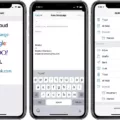
One thing you want to avoid is your recovery code going to an old number that you no longer use. Open Facebook, go to Settings and privacy, tap Settings, then open Accounts Center. From there, you can select Personal details and then choose Contact info to review the phone number and email that is connected to your account.

You need to make sure that whatever number that is listed is still active. Facebook may send a text code to confirm the change.
Restart the Facebook App and Your Device
Your device usually operates with several different processes running in the background. And one small glitch can affect how the apps refresh or display alerts. You can start by closing the Facebook app. Then open it again so that it reconnects properly.
If the problem continues, you should turn your phone off and then back on. This helps to refresh the system. It also gives the app a better chance to work normally. It will not solve issues caused by disabled notification settings, poor internet, or Facebook server delays, but it is a reliable first step for fixing temporary Facebook app glitches.
Check Your Internet and Mobile Network Connection
If your Facebook SMS messages still are not coming in, then the problem may be a bad signal. Some factors that can reduce cellular reception and make your verification code arrive late include thick walls, underground rooms, elevators, and metal roofing.
This becomes more frustrating during password resets because the request may go through, but the code may take longer to reach the phone. In this case, just move closer to a window or step outside to see if the connection improves.
A stable internet for Facebook is also useful, especially when sending the reset request through the app. Check the mobile signal, Wi-Fi strength, and phone number details before requesting another code.
Try Alternative Verification Methods
There are some alternative verification methods that Facebook allows you to use. One of these alternative methods is setting up a third party authentication app.

Also, Facebook allows you to create recovery codes. These codes can be used when you have issues with your usual login method. Another option you can take advantage of is the use of hardware security keys.
How to Request a Password Reset Code by SMS
If you want to request a password reset code, tap Forgot password? on the Facebook login page. you’ll usually be asked for details that are linked to the account such as a mobile number, email address, name, or username. If the phone number linked to the account is still active, you can select the text message option.
Facebook will then send a reset code by SMS. Enter that code in the space provided to confirm account ownership. Once it is accepted, create a fresh password that is stronger, safer, and easier to remember.
Troubleshooting Facebook Two-Factor Authentication Problems
One major reason why Facebook security codes don’t come in is because of text message delays. The phone signal might be responsible for this, so you should check that first. You should also confirm if the mobile number can still receive SMS. When you’re handling issues with Facebook two-factor authentication, you should wait a few minutes in case the carrier is slow.
If the message still does not come through, a saved recovery login code may be used instead. Keep in mind that problems with Facebook login code does not mean permanent account loss. Approving the request from a device already signed in can also help when fixing Facebook security code errors.
Contacting Facebook Support for Help

If you have refreshed your inbox, checked your junk folder and tried confirming your email address with no progress, then you need to try out Facebook’s official recovery options.
Sometimes, Facebook may request a proof of identity to verify the ownership of the account. This can include a government ID, but other accepted documents may also be allowed in some situations.
For the best chance of a smoother account recovery process, you should enter the same name used on the profile, provide an email address you can access, and submit the request from a device or browser you have used before.
Tips to Prevent Future Verification Code Issues
To avoid losing your Facebook account, you should always keep your email and phone number current. Another way to prevent login issues with your Facebook account is by checking your contact info. This might seem like a small step but it is very important.
You can also turn on an authenticator app as part of your backup Facebook verification options to catch any missed messages.
Conclusion
A weak connection, delayed SMS delivery, or repeated code requests can all cause problems with getting your Facebook alerts. You should try waiting for a few minutes, requesting a new code or switching to another recovery option.
A simple Facebook password recovery guide like this one makes it easier for you to know which step to try next. Once you are able to get the account up and running again, you should review your Facebook account security and add an authenticator app for stronger, more reliable protection than SMS alone.