 Skip to content

Are you looking for a way to watch live TV with Spectrum TV on your laptop? Then you’re in luck. Today, I will show you how to watch Spectrum TV on your computer, including live channels. Let’s get into it.
What You Need Before Using Spectrum TV on a Computer
To use Spectrum TV, you will need to have an active Spectrum TV subscription and remember your Spectrum account username and password.
You will also need a working laptop or computer with a stable internet connection that is fast enough to stream live TV. I would say that 5 Mbps is the minimum, but 15 Mbps is ideal for high-resolution (1080p) streaming without buffering.
How to Watch Spectrum TV on a Computer Browser

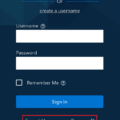
To watch Spectrum TV on your computer browser, simply visit watch.spectrum.net and sign in with your username and password, after which you can browse and view TV channels and on-demand content.
If you don’t have a Spectrum username but have an account and subscription, click on Create a Username and use your phone number, email address, or account information to verify your identity.
What You Can Watch With Spectrum TV

Spectrum TV offers a wide range of TV and content, including news, movies, channels, sports, and on-demand content. These include access to large channels such as CNN. You can also access streaming content from platforms like Hulu and Peacock, as well as Disney and Paramount+.
How to Stream Spectrum TV at Home
In addition to accessing Spectrum TV in your browser, there are other ways to access it live on demand. These include using the apps on supported devices, including Roku TVs, Android smart TVs, and Android and iOS phones and tablets. You can also use a Spectrum receiver for a cabled connection.
Why Spectrum TV May Not Work on Your Laptop
Spectrum TV will work if you have a valid subscription and a stable internet connection. Some reasons you may not be able to get it to work include weak internet, an outdated browser that doesn’t support streaming, incorrect login credentials that prevent you from logging in, or an expired subscription. A slow computer can also cause freezing and glitching.
Make sure you have met all the requirements for streaming Spectrum and try again. Consider updating your browser and operating system, restarting your computer, and trying a new browser.
Can You Watch Spectrum TV Outside Your Home Network?
Yes, you can watch Spectrum TV outside your home. You can sign in on any browser or on the app on supported devices on the go or at your friend’s place, for example. However, some channels may only be available when connected to your home Wi-Fi network, so keep that in mind.
Tips for Better Spectrum TV Streaming Quality
If you are experiencing freezing or buffering when streaming Spectrum TV, close background apps and make sure there isn’t anything else using up your internet connection’s bandwidth. For example, if other people are connected to the same Wi-Fi network and also streaming videos or Netflix, it can use up available bandwidth and cause your playback to slow down. Also, try moving closer to the router or using a wired connection.
Conclusion
Hopefully, this guide on how to stream Spectrum TV on your laptop was helpful. It’s relatively straightforward. As long as you have a valid subscription and a stable internet connection, you can stream it from your browser from anywhere!
Related posts:
 Why Are You Missing Channels on Spectrum App?
  Comparing Spectrum TV Essentials and TV Stream
  Discover the Benefits of Spectrum TV Stream
  How to Access and Manage Your Spectrum Email
  Everything You Need to Know About Spectrum DVR
  How to Log In to Spectrum Mobile?
  Exploring the Availability of the Spectrum App on Samsung TVs
  Troubleshooting Tips for a Non-Functioning Spectrum TV App