 Skip to content
Cash App is a peer-to-peer payment platform that allows users to send and receive money through a mobile application. It has gained popularity over the years due to its simplicity, convenience, and security. One question that often arises among users is whether they can have multiple Cash App accounts. In this article, we will explore this topic and provide you with some insights.
Firstly, it is important to note that you can have multiple Cash App accounts. However, there are some limitations and conditions that you need to be aware of. According to the Cash App’s terms and conditions, you cannot have two Cash App accounts with the same card. This is due to security reasons, as the Cash App does not allow users to use two Cash App accounts using just one debit card.
However, you can have as many Cash App accounts as you need if you use a different email and phone number to sign up. This means that if you have a business and personal account, you can create two separate accounts using different email addresses and phone numbers. This will allow you to keep your transactions separate and organized.
It is important to note that while you can have multiple Cash App accounts, you should use them responsibly. The Cash App has a strict policy against fraudulent activities, and violating this policy can result in your account being suspended or even permanently banned. Therefore, make sure to use your accounts for legitimate transactions and avoid any suspicious or fraudulent activities.
Another important thing to keep in mind is that having multiple Cash App accounts can be confusing, especially if you are not keeping track of your transactions. Therefore, it is recommended that you keep records of all your transactions and check your accounts regularly to avoid any misunderstandings or mistakes.
Yes, you can have multiple Cash App accounts, but you need to follow the terms and conditions set by the platform. Use different email addresses and phone numbers to sign up and avoid using the same debit card for multiple accounts. Remember to use your accounts responsibly and keep track of your transactions to avoid any complications.
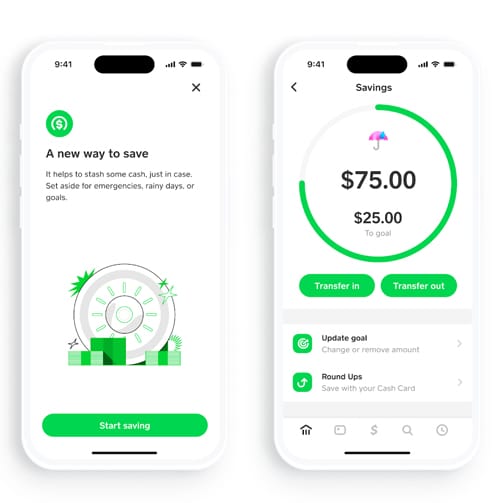
Can I Have Multiple Cash App Accounts?
It is possible to have 3 Cash App accounts. To do so, you will need to sign up for each account using a different email address and phone number. It is important to note that each account must be linked to a unique bank account or debit card. Additionally, it is important to comply with Cash App’s terms of service, including their policies on fraudulent or abusive behavior. It is recommended to keep track of each account separately to avoid confusion and ensure proper use.
Using the Same Card for Multiple Cash App Accounts
As per the terms and conditions of the Cash App, it is not possible to have two accounts with the same card. The Cash App does not allow users to use one debit card for two separate Cash App accounts due to security reasons. This means that you cannot link the same debit card to two different Cash App accounts at the same time. If you attempt to link the same card to a second account, it will be declined by the Cash App system. It is important to note that using multiple accounts with the same card violates the Cash App’s terms of service and can result in account suspension or termination. Therefore, if you need to use multiple Cash App accounts, you will need to use different debit cards for each account.
Conclusion
Having multiple Cash App accounts is possible as long as you use different email and phone numbers to sign up. However, it is important to note that the Cash App does not allow users to use the same debit card for multiple accounts due to security concerns. It is always best to adhere to the Cash App’s terms and conditions to avoid any issues or complications with your accounts. By following these guidelines, you can enjoy the convenience and benefits that Cash App has to offer without any hassle.
Related posts:
 Exploring the Banking Tab on Cash App
  How to Manage Your Finances and Make Payments with Apple Card Cash App
  How To Scan A Cash App Code From Camera Roll
  Why Can’t I Download Cash App On My iPhone?
  Can Police Track Cash App Payments?
  How To Unlock Google Pay on Your Phone
  How To Remove A Card From Apple Wallet
  How To Set Up Google Pay On Your iPhone